April PhishQueue Phishing News
“One scan can fool you…but not PhishQueue.”
QR Code Phishing Attacks Are on the Rise
The Growing Threat
What’s Going On?
Security experts are warning about a growing trend called QR code phishing, also known as “quishing.” Instead of sending a clickable link, attackers are now embedding malicious links inside QR codes. These codes are showing up in emails, printed notices, invoices, and even workplace posters.
Because QR codes cannot be easily inspected before scanning, many users trust them without thinking twice. This makes them an effective new way to deliver phishing attacks.
How It Works:
- You receive an email or receive a message that includes a QR code.
- The message asks you to scan it in order to access a document, verify your account, or complete a task.
- You scan the code using your phone or device
- The code takes you to a fake login page or malicious website
- If you enter your credentials or information, attackers capture it immediately
Why It Is Dangerous:
- You cannot see the destination of a QR code before scanning it
- Many people trust QR codes more than links
- The attack often moves you to your phone, which may not have the same protections as your computer
- Once your credentials are stolen, attackers can access your email, files, and company systems
QR code phishing can redirect users to convincing fake login pages, turning a single scan into stolen credentials and a fast-moving account compromise across email and enterprise systems.
Sources: https://unit42.paloaltonetworks.com/qr-code-phishing
🛡️ Your Best Defense: Your most effective move is to avoid guessing.
If a message raises even the slightest concern, submit it to PhishQueue.
📌 Remember: PhishQueue will analyze it safely and tell you whether it is legitimate or malicious, without putting you at risk.
_____________________________________
🤖 QR Code Emails Used to Steal Credentials
🔍 Example: Attackers sent emails with QR codes that led to fake Microsoft login pages designed to capture user credentials.
🤖 Traffic Violation Scams Use Fake QR Codes
🔍 Example: Scammers are sending fake “Notice of Default” traffic violation text messages impersonating state courts across the U.S.
🤖 Mobile-Based Phishing Campaigns
🔍 Example: Security researchers found that many QR code attacks specifically target mobile devices where users are less likely to verify links.
🚨 The Bottom Line
Phishing attacks are evolving beyond traditional links.
👉 Stay safe with PhishQueue.
______________________________________________________
Quick Tips to Stay Safe:
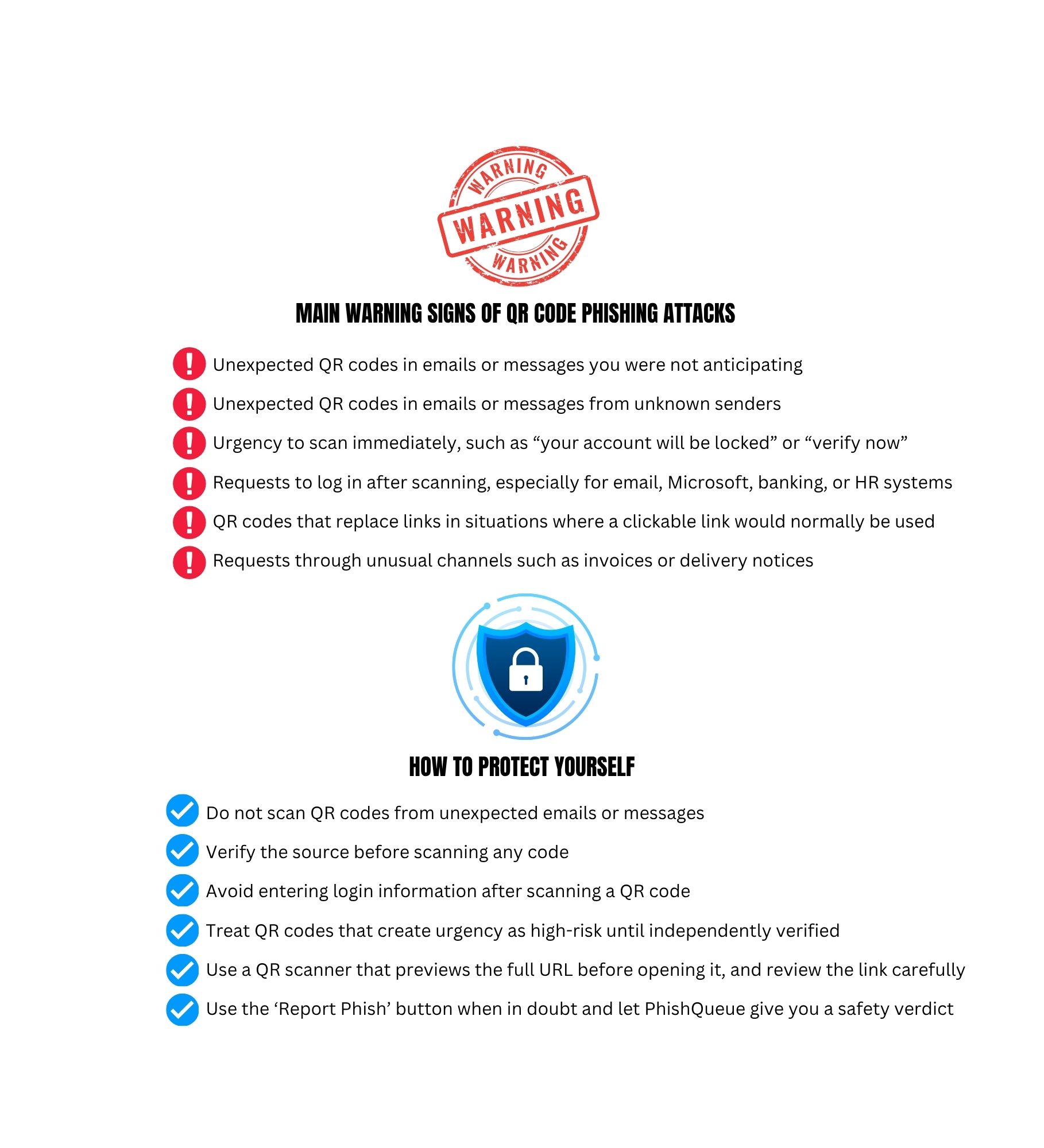
- Do not scan QR codes from unexpected emails or messages.
- Verify the source before scanning any code.
- Avoid entering login information after scanning a QR code.
- Report to PhishQueue, when in doubt, use the “Report Phish” button and let PhishQueue give you a safety verdict.
______________________________________________________
🎭 Phishing Joke of the Month
💡I scanned a QR code to “verify my account.”
👉Turns out, I verified it…for the attacker! 😆
Cybersecurity is serious, but staying informed does not have to be dull!
Stay vigilant,
The PhishQueue Team