May PhishQueue Phishing News
“Do not trust a logo. Do not trust a link. Trust PhishQueue!”
Adobe Acrobat Sign Phishing Emails Continue to Target Businesses
The Growing Threat
What’s Going On?
Security researchers are warning about phishing campaigns that impersonate Adobe Acrobat Sign. These emails claim you have a document waiting for review or signature and are designed to steal login credentials or deliver malware.
Because Adobe Sign is widely used in business environments, these emails often appear normal and trustworthy. Many users are accustomed to receiving contracts, invoices, and shared documents through Adobe services, which makes the phishing attempt more convincing.
How It Works:
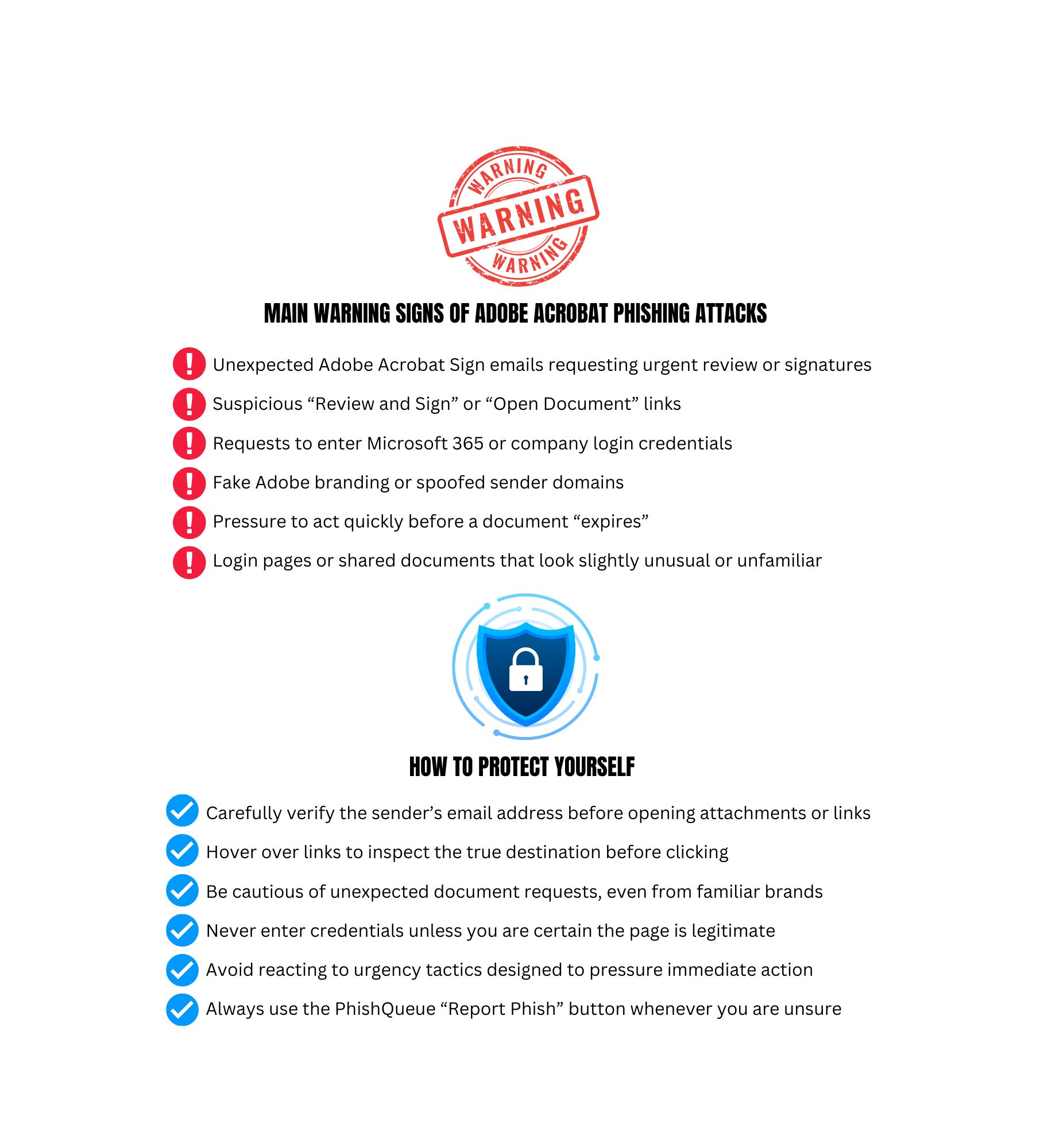
- You receive an email claiming a document requires your signature or review.
- The email appears to come from Adobe Acrobat Sign.
- The message includes a “Review and Sign” or “Open Document” button.
- The link redirects you to a fake login page or malicious website.
- If you enter your credentials, attackers capture them immediately.
Why It Is Dangerous:
- You cannot see the destination of a QR code before scanning it
- Many people trust QR codes more than links
- The attack often moves you to your phone, which may not have the same protections as your computer
- Once your credentials are stolen, attackers can access your email, files, and company systems
🛡️ Your Best Defense: Your most effective move is not to guess.
If something feels even slightly wrong, submit the message to PhishQueue. PhishQueue will analyze the message for you and tell you if it is safe or malicious, with no risk to you.
📌 Remember: PhishQueue will analyze the message for you and tell you if it is safe or malicious, with no risk to you.
_____________________________________
🤖 Adobe Acrobat Sign Impersonation Campaigns
🔍 Example:Attackers targeted more than 250 organizations using fake Adobe Sign emails and customized phishing pages.
🤖 Adobe Sign Used to Deliver Malware
🔍 Example:Criminals abused Adobe Acrobat Sign notifications to distribute RedLine information-stealing malware.
🤖 Fake “Adobe Acrobat Sign Request” Emails
🔍 Example:Researchers identified phishing emails using fake Adobe branding and urgent document requests to trick users into entering login credentials.
🚨 The Bottom Line
Not every document request is legitimate.
👉 Stay safe with PhishQueue.
______________________________________________________
Quick Tips to Stay Safe:
- Be cautious of unexpected signature requests.
- Hover over links before clicking to inspect the destination.
- Verify unusual document requests directly with the sender.
- Report to PhishQueue, when in doubt, use the “Report Phish” button and let PhishQueue give you a safety verdict.
______________________________________________________
🎭 Phishing Joke of the Month
💡Why did the phishing email pretend to be an Adobe Acrobat Sign?
👉Because nothing lowers defenses faster than paperwork. 😆
Cybersecurity is serious, but staying informed does not have to be dull!
Stay vigilant,
The PhishQueue Team