March PhishQueue Phishing News
“Looks real. Isn’t. Let PhishQueue decide.”
Microsoft Flags Multi-Stage Phishing and Business Email Compromise Attacks Targeting Organizations
The Growing Threat
What’s Going On?
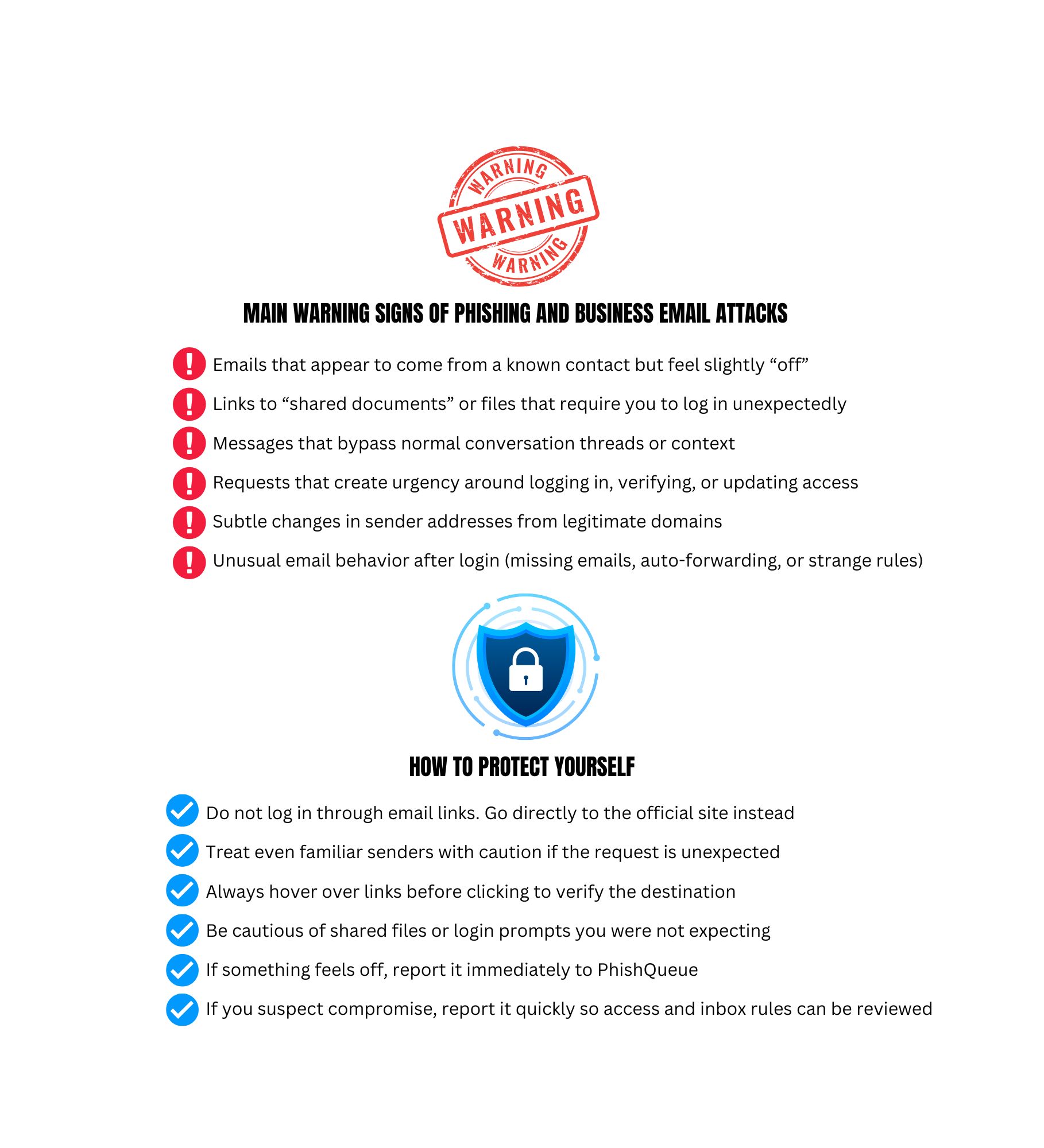
Security researchers at Microsoft have uncovered a sophisticated phishing campaign that starts with a deceptive email appearing to come from a trusted contact or familiar service. This attack leads to stolen login credentials and allows the attacker to create rules inside a victim’s email account that hide further malicious activity.
Because the messages originate from accounts that have already been compromised, they are more likely to look real and bypass basic security checks.
How It Works:
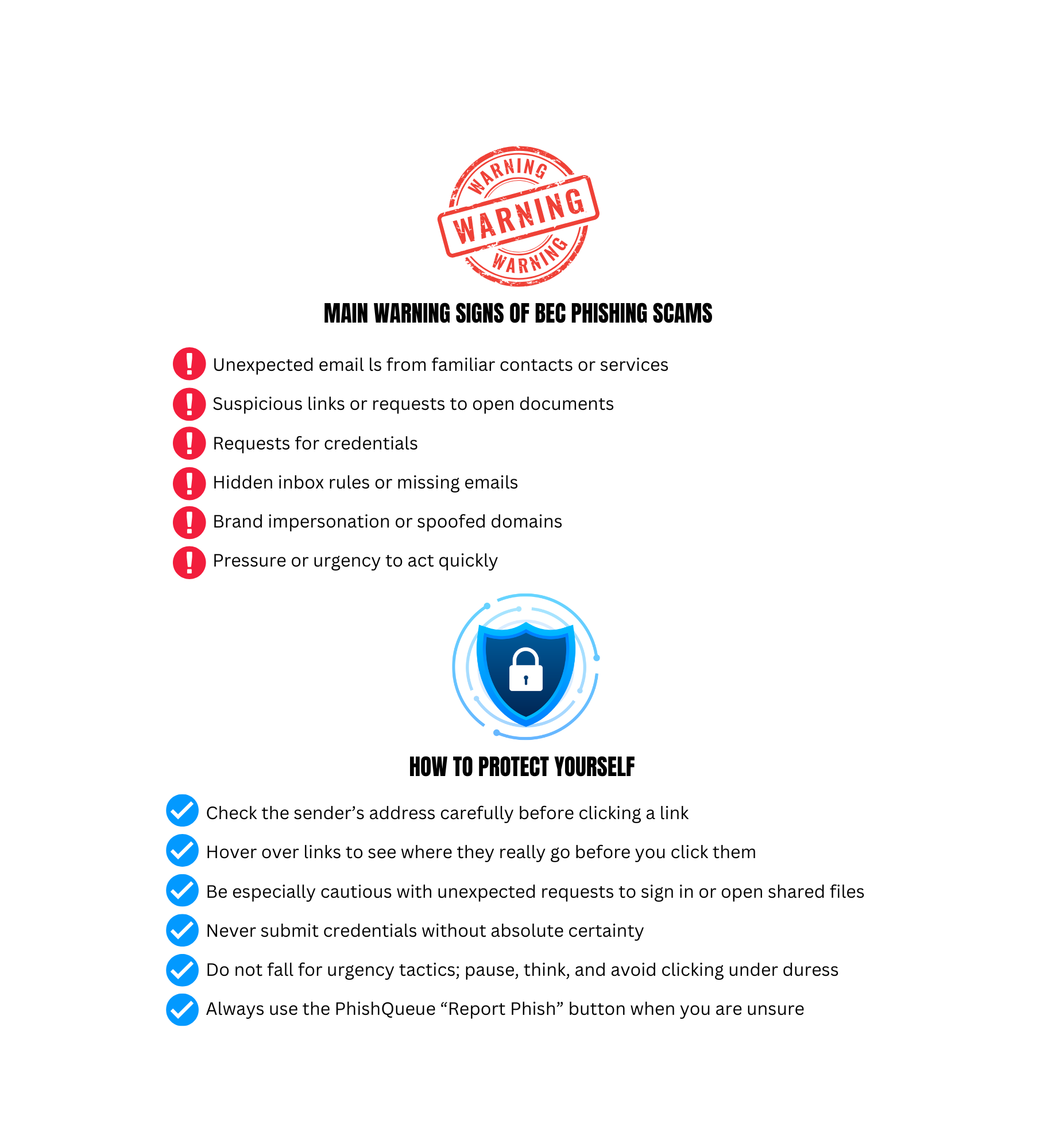
- You receive an email that appears legitimate, often from a known contact or service
- The message includes a link to a document or shared file
- The link directs you to a fake login page
- Your credentials are captured if entered
- Attackers gain access, create hidden inbox rules, and send additional phishing emails from your account
Why It Is Dangerous:
- Messages may come from real, compromised accounts, making them harder to detect.
- Once attackers control your account, they can spread phishing attempts to your contacts.
- Hidden inbox rules can prevent you from seeing warning signs.
- Because attackers are already inside, resetting your password alone may not fully remove the threat.
Attackers can silently take over trusted email accounts, hide their activity, and spread phishing internally, turning one mistake into a widespread breach.
Sources: https://thehackernews.com/2026/01/microsoft-flags-multi-stage-aitm.html
🛡️ Your Best Defense: Your most effective move is not to guess.
If something feels even slightly wrong, submit the message to PhishQueue.
📌 Remember: PhishQueue will analyze the message for you and tell you if it is safe or malicious, with no risk to you.
_____________________________________
🤖 Fake Password Manager Support Emails
🔍 Example: Attackers sent “backup your vault” messages to steal master passwords and stored credentials.
🤖 Brand Impersonation Scams
🔍 Example: Cybercriminals continue to mimic trusted brands like Microsoft, Google, and Amazon.
🤖 Email Domain Spoofing
🔍 Example: Misconfigured systems are exploited to make phishing emails appear internal.
🚨 The Bottom Line
Phishing threats are becoming more dangerous.
👉 Stay safe with PhishQueue.
______________________________________________________
Quick Tips to Stay Safe:
- Pause before you click. If an email asks you to sign in or update information, think first.
- Check the sender. Look at the full email address, not just the name that appears.
- Hover over links. Preview where links actually go before you click.
- Report to PhishQueue. Use the “Report Phish” button and let PhishQueue give you a safety verdict.
______________________________________________________
🎭 Phishing Joke of the Month
💡Why was the phishing email feeling confident?
👉Because when it said ‘Trust me’, someone actually did.😆
Cybersecurity is serious, but staying informed does not have to be dull!
Stay vigilant,
The PhishQueue Team